
Building a Career in Illustration: Explore Print-On-Demand | Learn with Society6
Cat Coquillette · Artist + Entrepreneur + Educator
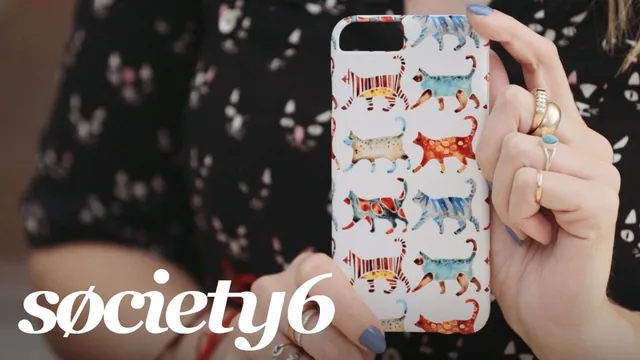
A working artist walks through her exact print-on-demand playbook in 24 minutes, though the money math and platform depth stay thin.
Cat Coquillette teaches this class the way she seems to run her business: fast, cheerful, and light on friction. In under half an hour she walks through her entire print-on-demand pipeline, from a watercolor scan to a listed product on Society6, using one real piece (a desert skull illustration inspired by a Santa Fe trip) as the through-line. That single example is the class's biggest strength. Instead of abstract advice about "finding your niche," viewers watch one painting get cleaned up, recolored, and reformatted across templates in a way that is genuinely instructive to follow.
The opening lessons frame print-on-demand as passive income and make a clear case for it: create the art once, let a company like Society6 handle production and shipping, and collect royalties as sales continue. Coquillette is upfront that this took her "a few years," which tempers the passive-income framing without undercutting it. The class is honest about the tradeoff too, noting that a design might earn a lower royalty rate on a phone case than an art print but still sell faster in that format, which is a more useful insight than most beginner courses offer.
The Photoshop segment is where the class earns its keep. Coquillette shows her actual workflow: scanning at 1400 dpi for flexibility, stripping the paper background to get a transparent PNG, then bumping saturation and hue that get lost in scanning. She generates several color palette options from the same piece, a technique she repeats for both hand-painted and vector-based work, and demonstrates cropping and doubling artwork to fit square, vertical, and extreme-horizontal product templates. This is concrete, replicable, and the closest the class comes to a real skill transfer.
Where it thins out
The Society6 upload walkthrough is more of a screen tour than a tutorial. Viewers see the markup percentage she uses (around 30 percent) and how tagging works for search visibility, but the class glosses over pricing strategy, what royalty rates actually look like across product types, or how to read the platform's analytics beyond a passing mention of Google Analytics. Anyone hoping to understand the business side, actual dollar figures, tax handling, how long it took to reach meaningful income, will come away without answers.
The marketing lesson is similarly surface-level. It amounts to "post on Instagram, Facebook, Twitter and Dribbble, and share process shots," which is standard advice dressed up as a strategy. There is no discussion of paid promotion, email lists, or how she actually drives new customers to a shop with thousands of competing sellers.
Who should take it
This class works best as a orientation for artists who already paint or illustrate and have a backlog of finished work sitting unused. It answers the question "what do I do with this art" reasonably well, and the Photoshop reformatting demo alone is worth the 24 minutes for anyone who has never prepped a scan for multiple product templates. It will disappoint anyone looking for a genuine business course, since it never gets past the surface of pricing, platform economics, or customer acquisition.
The standout
The Photoshop segment showing how one scanned watercolor piece gets its background stripped and repurposed into 3-8 palette variants for different product templates.
What you will learn
- How to distinguish active versus passive income and where print-on-demand fits
- How to build 3-8 color palette variations from a single piece of art
- How to clean up scanned watercolor work in Photoshop and remove backgrounds for transparent PNGs
- How to reformat one illustration across square, vertical and horizontal product templates
- How to price and tag work inside the Society6 upload dashboard
- How to structure a social media posting rhythm across process shots, finished work and product mockups
Best for: Hobbyist painters and illustrators who already have a body of work and want a concrete on-ramp to selling it as prints and products.
Skip it if: Anyone without existing artwork, or artists wanting a real breakdown of Society6 royalty rates, taxes or growth numbers.