
Blender 3. 0: Masterclass in Product Animation
Smeaf · 3D Generalist and Tutorials
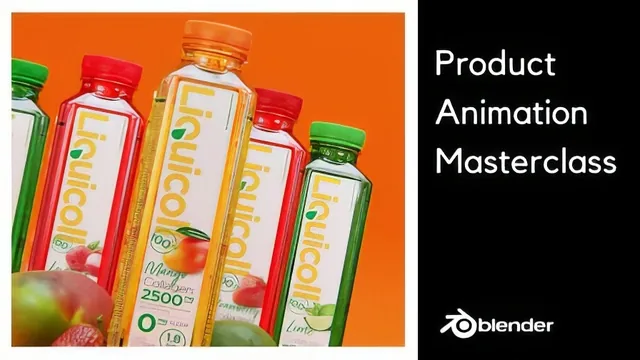
A genuinely full bottle-to-broadcast pipeline in one course, but the pacing assumes you already know Blender's interface.
A full pipeline, not a single skill
This course sets out to do something more ambitious than most Blender tutorials: take a product from a blank scene to a finished, edited television-style advertisement. The class project, a commercial for a fictional bottled water brand, is built in twelve lessons that move from software installation through modeling, texturing, two animated shots, a rigid body simulation, a liquid simulation, and a final round of compositing in DaVinci Resolve. That breadth is the course's main selling point. Very few Blender classes actually close the loop between "here is a 3D model" and "here is an exported video ready to post," and this one does.
The modeling section is the most thorough part of the course. Reference images are imported and locked to orthographic views, and the bottle is built with box modeling: subdividing a cube, beveling corners, using the built-in Loop Tools add-on to round out a square cross-section into a circle, and tightening edges with edge loops so the subdivision surface modifier reads correctly. The bottle cap gets its own pass, including a checker-deselect trick to generate the ridged grip pattern around its sides without manually selecting every other face. These are legitimate, transferable modeling techniques, not just clicks to copy.
Where the course gets ambitious
The physics chapters are where the course earns its "masterclass" label. Rather than hand-placing a scattering of background props, the instructor duplicates a single mesh dozens of times, applies an active rigid body to the whole selection at once, and lets gravity and a simple animated pusher object stage the fall. The liquid simulation goes further still, walking through domain setup, a mesh bake, and a separate bubble particle bake, with real attention paid to resolution tradeoffs and how particle counts explode at higher settings. Anyone who has been intimidated by Blender's fluid system will get a workable mental model here.
The animation and compositing lessons are comparatively lighter. Camera and object keyframing is taught through manual and auto-key methods, which is sound, but the actual shot design leans on eyeballing positions rather than named principles of timing or composition. The DaVinci Resolve section is a fast tour of compound clips, drop shadows, dynamic zoom on text, and cross dissolves, useful for finishing the specific project but not a substitute for a dedicated editing course.
Who should take it
The course explicitly says no prior Blender knowledge is required, but that claim does not hold up against the pacing. Menus, panels, and hotkeys are named and used quickly, with the assumption that viewers can keep up with viewport navigation and mode switching. A total newcomer will likely need to pause constantly or supplement with a separate basics tutorial before this becomes useful rather than overwhelming. For someone who already has a foothold in Blender and wants to see how modeling, simulation, and post-production fit together on a real deliverable, the course delivers real value and a portfolio-ready result. The reward is proportional to the four and a half hours invested, but only for the right starting point.
The standout
The rigid body workflow, where dozens of duplicated props get active physics applied in one batch operation and are choreographed to fall and collide without manual keyframing.
What you will learn
- Box-modeling a product bottle from orthographic reference images using loop tools, bevels, and a subdivision surface modifier
- Setting up PBR textures fast with Node Wrangler's one-click principled shader import
- Keyframing and auto-keying camera and object animation, including easing a multi-shot product reveal
- Building an active/passive rigid body simulation so props tumble and collide realistically
- Baking a domain-based liquid simulation (mesh, foam, and bubble particles) at production resolution
- Compositing the final render in DaVinci Resolve with compound clips, text animation, and transitions
Best for: Someone who already knows Blender's viewport navigation and basic tools and wants a single project that strings modeling, simulation, and editing into one deliverable.
Skip it if: Absolute beginners who have never opened Blender, since the modeling and physics sections move through menus and hotkeys quickly with limited pausing to explain fundamentals.