
Beginner's Guide to Animate Fun Social Media Reels in Adobe After Effects
Hongshu Guo · Motion Designer
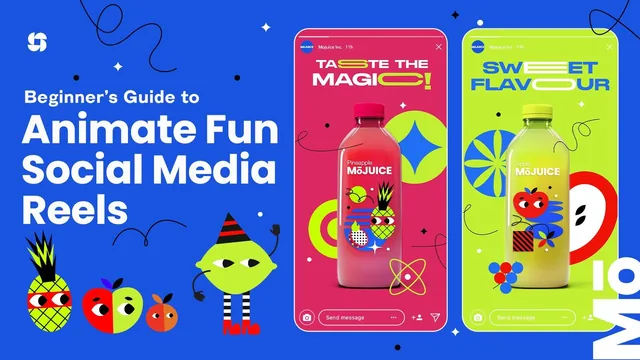
This is a real freelance job walkthrough, brief to render, but the 'beginner' label undersells how much prior After Effects fluency it assumes.
A freelance job, not just a tutorial
What separates this class from a typical After Effects walkthrough is its framing: it opens with a fictional client brief from a beverage startup called Juice, and everything that follows is presented as the actual production pipeline for that job. Before any animation happens, the course covers what a freelance motion designer charges per hour, how to draft a project estimate, and how to build a storyboard from scratch using Pinterest for mood references, Coolors.co for palette generation, and Freepik and Motion Array for supporting elements and splash effects. This front-loaded business context is unusual for a Skillshare animation class and gives the course a sense of real-world weight that most "learn the tools" courses skip entirely.
The file-prep lesson is similarly grounded in practice rather than theory. It walks through opening a multi-artboard Photoshop storyboard, checking that every element sits on its own layer, and specifically converting layers with masks into smart objects so they survive the trip into After Effects intact. That is a small, specific, useful habit that a lot of beginner content glosses over.
Where the animation instruction lands
Once inside After Effects, the bulk of the runtime is spent animating three scenes for a 10 to 12 second reel: an apple-flavor intro, a pineapple-dragonfruit second scene, and a closing spiral-and-logo reveal modeled loosely on a Fruit Ninja motion. The teacher repeatedly leans on one core technique, scaling and rotating elements with overshoot, then smoothing the keyframes in the graph editor and dragging the influence handles toward roughly 80 percent to get a springy, natural-feeling pop. Seeing this applied consistently to circles, stretched text, and logo elements makes the underlying principle stick better than a single isolated demo would.
The spiral animation lesson is the most technically dense segment, combining a hand-drawn mask path with the stroke effect's "reveal original image" option and a track matte to keep a tornado shape properly layered in front of and behind fruit elements. The liquid transition and logo reveal lessons lean heavily on prebought Motion Array splash footage rather than teaching cel animation from scratch, which is an honest choice, the teacher says outright that hand-drawn liquid effects are hard and recommends buying stock assets, but it does mean a chunk of the "wow" moments in the final reel come from licensed footage rather than skills the student builds.
The closing stretch on precomposing scenes, staggering audio fades, and adding a subtle 100 to 110 percent scale "camera pull" across each scene is a nice bit of polish craft that's easy to overlook but noticeably improves a finished piece.
Bottom line
The course delivers on its title: a full brief-to-render production of a real style of social media reel. But the "beginner's guide" label is generous. The teacher states upfront that tool basics won't be explained, and expressions, track mattes, and graph editor mechanics appear with only light explanation. Students with a few months of After Effects exposure will get real value; someone who has never opened the program will spend more time confused than animating.
The standout
The graph editor workflow for dialing in overshoot bounce by dragging influence handles to roughly 80% is a genuinely transferable animation-feel technique used consistently across every element in the project.
What you will learn
- How to read a client brief, estimate hours, and quote a project at a freelance day rate
- How to build a storyboard from Pinterest references, Coolors palettes, and Freepik/Motion Array assets
- How to prep a layered Photoshop file for After Effects, including converting masked layers to smart objects
- How to keyframe bounce and overshoot animation using the graph editor and easy ease influence percentages
- How to animate stretched text, spiral draw-on effects with stroke and track mattes, and a liquid logo reveal
- How to finish a project with audio fades, precomposing scenes, subtle camera-pull scaling, and dual-path rendering
Best for: Someone who already has basic After Effects navigation down and wants to see, start to finish, how a paid social media animation gig actually gets planned and produced.
Skip it if: Total software novices, since the teacher explicitly skips tool-by-tool explanations and expects viewers to already know their way around panels, layers, and keyframes.