
Anyone Can Animate: Easy Animation for Social Media
Danny Casale · Artist, Animator
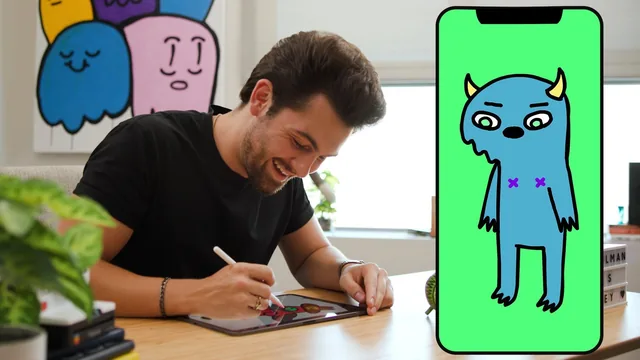
A viral TikTok animator hands over his no-frills 15-second process, proving crude drawings and a phone can outperform expensive software.
A personality-driven crash course, not a technical one
Danny Casale's class is built entirely around replicating his own path from a viral index-card doodle to a TikTok following in the millions, and that framing is both its charm and its ceiling. The 13 lessons trace a single linear project, a monster named Bobby eating a pile of pizza he knows he shouldn't, from initial concept through brainstorming, scripting, audio recording, character design, animation, audio syncing, sound design, and export. Anyone who follows along produces one finished 15-second loop by the end, which gives the course a satisfying, concrete arc rather than a scattered list of tips.
The brainstorming and scripting sections are the strongest stretch. Casale's method of asking what emotion you want the viewer to feel, then mining recent personal experience for a moment that produces that feeling, is a simple but effective way to defeat the blank-page problem that trips up most beginners. Watching him work through it live, landing on the "eating something you know you shouldn't" premise from three rough ideas, models the kind of quick iteration a first-time animator actually needs to see rather than just be told about.
The animation lessons are where the course reveals its limits. Casale's technique for character movement, splitting a puppet into separate layers for arms, mouth, eyebrows, and body, and animating each independently in Adobe Animate, is a legitimate and useful shortcut. But the explanation stays at a high level: there's no walkthrough of tweening, easing, timing curves, or frame rate decisions, and no real discussion of why a movement reads as funny or natural versus stiff. The instruction to "act out the movement yourself to see what needs to be on its own layer" is clever but thin as standalone technical training.
Production values versus depth
The course is explicit that no paid software is required, pen, paper, a phone's voice memo app, and the free Flipaclip app can substitute for Procreate, Adobe Animate, and Final Cut Pro, which is a genuinely inclusive design choice for a beginner class. But the actual demonstrations run entirely through Casale's own professional pipeline, so anyone who takes the free-tools option is left extrapolating rather than following a matched walkthrough.
The audio and export lessons are practical in a narrow, useful way: matching a loose script to improvised microphone takes, checking mouth-to-audio sync by ear, layering sound effects and music from a stock library, and exporting at the correct resolution for TikTok and Instagram rather than a default that produces a blurry file. These are the kind of small, easy-to-miss mistakes that actually sink a beginner's first post, and it's valuable that the course flags them directly.
What the course does not offer is a broader animation education. There's no coverage of animation principles like anticipation, squash and stretch, or arcs, no comparison of tools beyond Casale's personal stack, and no guidance for animation longer or more complex than a static two-character exchange. It is, essentially, a documented personal workflow rather than a foundational animation curriculum, useful for exactly the narrow outcome it promises and not much beyond it.
The standout
The layer-isolation trick for character rigging, where you physically act out a motion to identify which body parts need their own animatable layer, is a genuinely transferable technique beyond this specific style.
What you will learn
- How to mine personal, everyday moments for a relatable animation premise
- A structured brainstorming workbook method for turning a feeling into a character-driven skit
- How to script loosely enough to leave room for improvised audio takes
- How to rig a simple character by isolating moving parts (arms, mouth, eyebrows) onto separate layers
- How to sync dialogue to mouth movement using a basic open/closed mouth pattern
- How to build a seamless loop and export at the correct resolution for TikTok and Instagram
Best for: Total beginners with no drawing or animation background who want to post a finished, funny short animation without buying expensive software.
Skip it if: Anyone seeking technical depth in rigging, tweening, frame rates, or professional animation software fundamentals rather than one artist's personal shortcuts.