
Animation Station With Neil Patrick Harris
Jon Burgerman · Artist and Illustrator based out of NYC
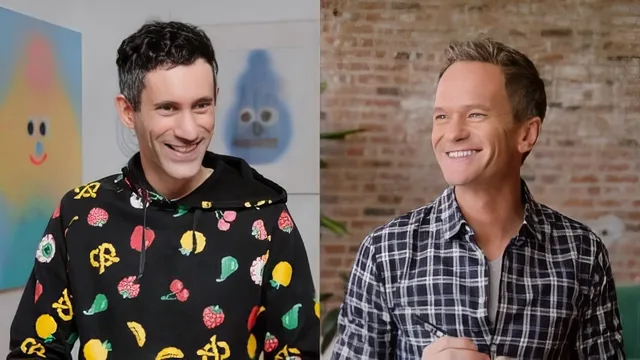
Two celebrities doodle for fifteen minutes on camera and call it an animation lesson, which is honest about what it is but thin on what it teaches.
Animation Station With Neil Patrick Harris is less a course than a filmed hangout. Jon Burgerman, working from his personal sketchbook, walks Neil Patrick Harris through a loose, unscripted session that starts with a marker and a blank notebook page and ends, fifteen minutes later, with a hand-drawn character diving into water inside Procreate. There is no syllabus, no stated learning objective beyond "make some stuff," and the class consists of exactly one lesson plus a trailer.
What actually gets taught is compressed into the back half. Burgerman has Harris draw a face starting with the eyeballs, then build an outline around it, then improvise a body from torn scraps of colored paper laid beneath the head before anything is committed to ink. This paper-scrap step is the most transferable idea in the whole session: it turns character design into a placement problem you can solve by moving pieces around before you draw a single line, which lowers the stakes for a nervous beginner in a way a blank page does not.
The animation portion
The animation segment is genuinely the strongest part, short as it is. Burgerman introduces Procreate's frame-by-frame tools in plain terms: add a frame, watch the previous drawing appear grayed out as an onion-skin guide, then draw the next position relative to it. He demonstrates a basic left-to-right roll with three frames, then layers in a stretch technique, where a shape is drawn elongated and overlapping its neighbors to fake motion blur. The clearest piece of craft advice in the whole fifteen minutes comes when Harris asks whether animators draw sequentially or plan ahead: Burgerman explains the key-pose method, drawing the start and end positions first, then filling in the movement between them. It is a real, useful animation principle, delivered almost as an aside.
The cliff-jump exercise that closes the lesson applies all of this at once: a static background layer, a start pose, an end pose, a stretched in-between frame, and a splash drawn on impact. Watching that assembled in real time is the closest the course gets to a structured demonstration, and it would work well as a two-minute clip inside a longer, more deliberate class.
What is missing
The problem is there is nothing around it. No discussion of timing, spacing, or easing beyond "stretch means blur." No character design principles beyond "try shapes and see what feels right." No second example to reinforce the key-pose idea once it is introduced. The trailer and the full session cover almost identical ground, so a viewer gets one real worked example and a lot of conversational filler about kids, gel pens, and GIFs of Jeff Bezos.
This is a celebrity pairing built for entertainment first, instruction second, and it should be judged as such. Anyone hoping to actually learn to animate needs to look elsewhere; anyone who wants fifteen relaxed minutes watching two people doodle, with one or two ideas worth stealing along the way, will get exactly that and nothing more.
The standout
The key-pose method, drawing the start and end frames first and filling in the middle, is the one real animation principle that transfers to any project after the course ends.
What you will learn
- Sketching a simple face and body shape starting from just eyeballs and an outline
- Using torn paper scraps as a rough placement guide for eyes, nose and mouth before committing to a drawing
- Setting up frame-by-frame animation in Procreate: adding frames, reading onion skinning, and drawing in-betweens
- The stretch technique for suggesting motion blur on a fast-moving object
- Working from key poses (start and end position) and filling in the middle rather than drawing sequentially
- Locking a static background layer so only the character moves across frames
Best for: A total beginner who wants a light, encouraging nudge to open a sketchbook or try Procreate's animation tools for the first time, with no ambition beyond a fun afternoon doodle.
Skip it if: Anyone wanting an actual animation curriculum, timing and spacing theory, character design fundamentals, or more than one finished example to study.