
Animation Principles: Add Playful Personality To Your Animations
Jake Bartlett · Motion Designer
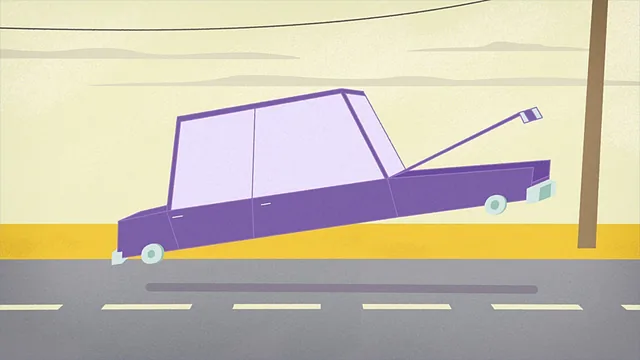
A working After Effects motion designer breaks down anticipation, overlap, and squash and stretch by rigging and animating a full cartoon car from scratch.
Two units, one continuous build
The course splits cleanly into a principles unit and a production unit, and the split is the smartest structural choice in the class. The first unit takes a single box sliding across the screen and rebuilds it five or six times, layering in one animation principle per pass: easing, anticipation, follow through, overlap, and eventually rotation-driven distortion using the Transform effect's pick-whipped anchor point. Watching the same simple shape get progressively more expressive, with the instructor narrating every keyframe and easing-curve decision in the graph editor, makes the underlying logic of each principle concrete rather than theoretical.
The second unit throws all of that at a genuinely complex illustration, a cartoon car that lifts off the ground, opens its hood, rocks on its wheels, and squashes as it drives away. This is where the course earns its intermediate-to-advanced label. Building the rig alone involves chained null objects for the frame, the hood, the hood's front section, the headlights, and a separate squash-and-stretch controller sitting below everything else in the parent hierarchy, each one zeroed out and reparented as the rig grows. It is dense, occasionally repetitive housekeeping, and the course does not pretend otherwise: the instructor openly acknowledges the back-and-forth is "the reality of managing a rig that's really this complex."
What holds up and what doesn't
The strongest material is the direct cause-and-effect teaching: pull this graph editor handle, watch the ease change; rotate off this anchor point instead of the center, watch the anticipation read differently. That kind of concrete, undo-and-retry demonstration is rare in motion design tutorials, which tend to show a finished trick rather than the failed attempts leading to it. The squash and stretch section, where a scale-based controller is synced to a car-bump animation and then deliberately detuned when overlap makes it look "too much like Jello," is a good example of teaching judgment rather than just mechanics.
The weak spot is pacing in the second unit. Because the project file is exactly one car, the rigging portion runs long relative to the payoff, and viewers who don't want to build that specific asset may find themselves sitting through null-object renaming that has diminishing instructional value past the first few examples. The course also leans on third-party tools, an FX Console keyboard-shortcut plugin and a GifGun export script, that are convenient but not strictly necessary, so anyone without them will need to adapt a few workflow steps.
The closing lesson on exporting to GIF versus MP4 is a useful, practical coda, contrasting file size, color compression, and platform loop requirements, though it is a minor addition next to the core rigging and animation content. Overall the class delivers exactly what it promises: a principles-first foundation applied at real production complexity, aimed squarely at animators who already know their way around After Effects and want their motion to stop looking mechanical.
The standout
The extended sequence on rigging the car with chained null-object controllers (frame, hood rotation, hood front rotation, headlights position, squash and stretch) is the most transferable skill, since it shows how to make a complex illustration animatable without touching individual paths.
What you will learn
- How to build a parented null-object rig for controlling illustrator artwork inside After Effects, including zeroing out values and separating parent chains
- How to add anticipation and follow through using both position and off-anchor rotation via the Transform effect
- How to create overlap and secondary motion with the CC Bend It effect so no part of a shape moves in unison
- How to construct layered squash and stretch using scale keyframes tied to a dedicated controller
- How to build multi-layer secondary controls for details like a car hood, wheels, antenna, and hood ornament that inherit motion from a master rig
- How to export finished animation as both an optimized GIF and a looping compressed MP4 for social platforms
Best for: Intermediate to advanced After Effects users who already know the graph editor and want to move from stiff, linear keyframing to expressive, rig-driven character-style animation.
Skip it if: Beginners to After Effects, anyone unfamiliar with the graph editor or expressions, or animators working outside After Effects looking for software-agnostic instruction.