
Animating With Light
Jake Bartlett · Motion Designer
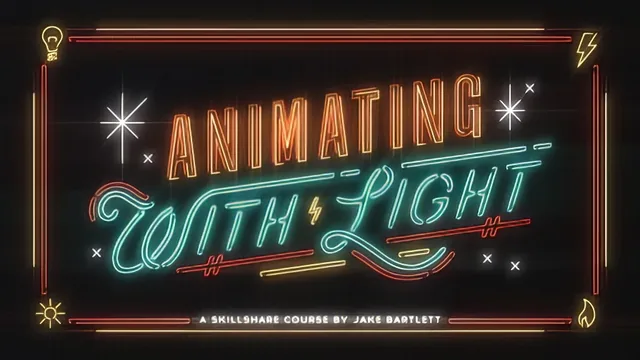
A slick, single-technique deep dive into 32-bit glow simulation that rewards intermediate After Effects users who already know their way around shape layers.
A Deep, Narrow Technique Done Well
"Animating With Light" is not a general motion graphics course. It is a focused, 89-minute walkthrough of one specific effect: building a neon sign glow in After Effects using 32-bit color depth, and Jake Bartlett treats that narrowness as a strength. The course opens with artwork preparation in Illustrator, where the emphasis is on separating shapes into distinct layers by color and by what needs to animate independently. This groundwork matters more than it might seem. Bartlett makes the case that a well-organized Illustrator file removes most of the tedious cleanup later, and the demonstration of cutting, pasting, and renaming layers so each element can toggle on and off is a genuinely useful habit for anyone who builds layered animations regularly.
The technical core of the course is the 32-bit color depth lesson, and it earns its placement early in the lineup. Rather than treating light simulation as a filter to slap on, the course explains the actual mechanism: pushing RGB values above the normal 0 to 1 range so that a blur effect blooms and blends colors the way real light sources do. Watching two circles of overlapping light warp into each other in 32-bit mode, compared to the flat non-interaction in 8-bit mode, makes the underlying concept concrete rather than abstract. This is the kind of explanation that separates a course teaching a trick from one teaching a principle.
Where the Course Delivers, and Where It Thins Out
The middle stretch, covering the color management null object and the layered glow construction with Add-mode duplicates, Fast Blur, and Exposure, is the most practically dense section. The color control rig, where an expression pick-whip links a stroke color to a master null, is a smart efficiency technique that generalizes well beyond neon signs to any project with repeated color values across layers. The glow-building process itself is presented honestly as iterative and subjective, with Bartlett adjusting opacity, blur radius, and exposure by feel rather than presenting fixed values, which is realistic but means learners get a process rather than a formula.
The animation sections split into two paths: a traditional hold-keyframe flicker approach and a more ambitious secondary method using Trim Paths write-ons, Wiggle Paths, 3D layers, and camera movement. The hold keyframe explanation is clear and well-demonstrated with a simple three-circle comparison. The second, more creative animation path is where the course covers the most ground quickly, moving through path reordering, easing in the graph editor, 3D z-position offsets, and camera rigging in fairly rapid succession. Viewers without prior shape layer or 3D camera experience may find this stretch harder to absorb without pausing frequently.
The course closes with export settings for H.264 and a walkthrough of embedding the result on Vimeo and Skillshare, a practical but minor addition. Overall, the structure holds together as a single coherent build from artwork to finished export, and the project format, turning a restaurant name into a neon sign, gives the technique a clear, personal target. What it does not offer is breadth. Viewers wanting a broader motion design education, or an introduction to After Effects fundamentals, will need to look elsewhere, as the course itself acknowledges by pointing to other titles for shape layer basics and easing.
The standout
The 32-bit color depth demonstration, showing how pushing RGB values past 1.0 produces genuine light-blooming and blending between overlapping objects that 8-bit color simply cannot replicate.
What you will learn
- How to set up Illustrator artwork with separated, color-grouped layers so it converts cleanly into After Effects shape layers
- How 32 bits per channel color depth allows values above 1.0 to bloom and blend like real light sources
- How to build a layered glow using duplicated Add-mode layers, Fast Blur, and the Exposure effect
- How to rig an expression-based color control system with a null object so multiple layers share and update one color value
- How to animate a traditional neon flicker using hold keyframes and wiggle expressions on an adjustment layer
- How to push the same rig into non-traditional 3D animation using Trim Paths, Wiggle Paths, and a two-node camera
Best for: Motion designers with working After Effects and shape layer experience who want one specific, reusable lighting technique to add to their toolkit.
Skip it if: Complete beginners to After Effects or anyone hoping for a broad survey of animation principles rather than a single deep, niche effect.