
Animating With Character - Walk Cycles
Jake Bartlett · Motion Designer
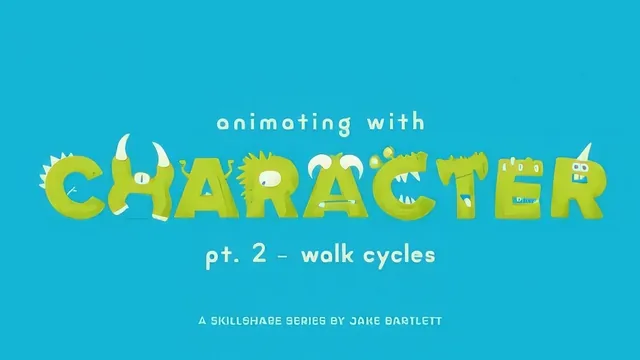
A workflow-first walkthrough of walk cycles across three rigs, but only useful if you already own the rigs.
What it actually covers
This is the second installment of a three-part series, and it assumes the audience arrives already equipped: either with a rig built in part one, or with one of the teacher's own downloadable rigged files. The 104 minutes are spent almost entirely inside After Effects, working through the same pose-to-tween pipeline on three different characters: Trevor, a loose-limbed cartoon figure, Stu, a more anatomically complex rig with belly and hip rotation, and Allan, a long-armed, short-legged character whose proportions force a workaround late in the course.
The method itself is consistent and well-structured. Every walk starts with neutral hold keyframes as a safety net, then moves through the four extreme poses of a walk cycle: contact, passing, up, and down. Arms are switched from IK to FK control so shoulder, elbow, and hand can be posed independently, with the rule that arms swing opposite to the legs stated and then, notably, gotten wrong on Stu's rig and fixed on camera in a dedicated lesson. That kind of transparency about a real mistake is a strength: it shows what troubleshooting actually looks like rather than presenting a sanitized final result.
Where the craft lives
The most valuable stretch of the course is the keyframe cleanup process. After roughing in poses on twos and tens, the course walks through deleting every unnecessary in-between key, converting the survivors to continuous velocity (After Effects' Auto Bezier), and then manually reintroducing hold keyframes wherever a value needs to stay flat rather than drift. This is paired with motion-path editing on the feet, using the pen tool to arc the swing leg so toes clear the ground without adding extra keys. It is a genuinely useful technique for anyone doing limited or rig-based animation in After Effects, and it is demonstrated on all three characters, which reinforces the pattern through repetition rather than a single walkthrough.
The speed-testing lessons, where each character is placed in a new comp, time-remapped into a loop, and walked across the screen to check for foot-slipping against a grid overlay, are a practical piece of craft that many animation tutorials skip entirely.
The honest limits
The course is narrow by design. There is no instruction on rigging, character design, or After Effects fundamentals, so anyone without a Duik-style rig and a working knowledge of expressions and time remapping will be lost within the first ten minutes. The pacing also leans heavily on watching numbers get typed into position and rotation fields, which is efficient for someone following along with their own rig but less engaging as pure viewing. Overlap and secondary motion, arm swing offset and hair movement, are covered but treated as a brief finishing pass rather than a deep topic in their own right.
For the specific audience it targets, animators who already have a character rig and want a repeatable system for turning it into a convincing walk, the course delivers exactly what it promises. It is not an entry point into character animation, and it does not try to be.
The standout
The keyframe-reduction pass, where redundant in-between keys are stripped from each limb down to only the poses that matter, then rebuilt with continuous velocity, is the most transferable and reusable technique in the course.
What you will learn
- Setting neutral hold keyframes as a return point before posing a character
- Building the four extreme poses: contact, passing, up, and down
- Switching from IK to FK for arm rotation and animating shoulder, elbow, and hand independently
- Testing walk speed across the screen with time remapping and a loop expression
- Cutting redundant keyframes down to essentials, then converting to continuous velocity for smooth tweening
- Adding secondary overlap to arms and hair by offsetting keyframes a few frames apart
Best for: An intermediate After Effects animator who already has a rigged character (from part one or Jake Bartlett's downloadable rigs) and wants a repeatable pose-to-tween pipeline for walk cycles.
Skip it if: Anyone without After Effects and Duik rigging experience, or anyone hoping to learn character rigging or design rather than pure walk-cycle animation.