
Animating With Character - Rigging
Jake Bartlett · Motion Designer
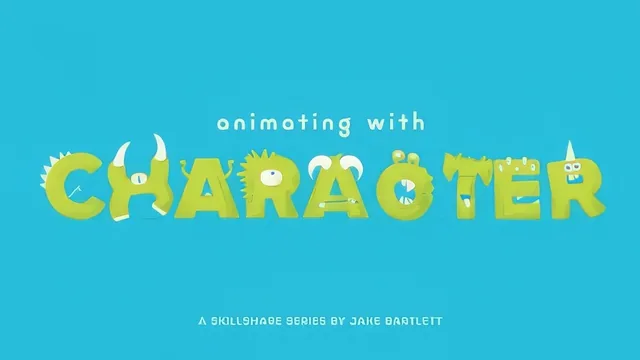
Jake Bartlett himself opens by telling viewers the rigging method is outdated and to go watch a newer course instead.
An intro that tells you to leave
The first lesson of "Animating With Character - Rigging" is Jake Bartlett explaining that the course is outdated. DUIK, the free After Effects plugin the entire rigging workflow is built on, has changed versions since this was recorded, and he says outright that the rigging process taught here no longer matches the current tool. He leaves the course online because past students built projects from it and he wants those discussions preserved as an archive, and he notes that the companion courses on walk cycles and animation sequences still apply once you learn rigging from his newer material. That is an unusual way to open a class, and it has to be weighed before anything else in the review.
Setting that disclaimer aside, what remains is a genuinely well-organized character rigging workflow. The course opens with design theory rather than software, walking through three characters of increasing complexity: Trevor, a simple ball-bodied monster with no neck, Stu, whose longer torso needs multiple bend points, and Allan, whose detached head and rigid limb joints make him the hardest rig in the set. This escalation gives the course a real teaching arc instead of just repeating one example three times, and by the time Allan appears the viewer has already internalized the vocabulary of pins, bones, and controllers well enough to follow the added complexity of guide-based joint alignment.
The rigging mechanics
The middle section is where the course earns its keep. It covers Photoshop prep in specific, practical detail: designing at 3000x3000 pixels, keeping limbs perfectly straight before rigging, separating moving parts onto their own layers, and building small colored guide circles at each joint using difference blending mode to find exact overlap points. The After Effects portion then walks through the Puppet tool pin placement, converting pins to bones, building parent chains from extremity to torso, generating IK controllers, and toggling settings like Goal and auto-stretch. The explanation of why the IK system needs a specific pin order, and what happens when parenting is done out of sequence, is clear enough that a viewer could reasonably follow along and rig their own character afterward, assuming they have a compatible DUIK version.
The closing lessons on locking a neutral pose, shying and locking layers, and color-coding controllers are a genuinely useful editor-hygiene habit that many character animation tutorials skip. The final wave animation, built with staggered keyframes and an offset overlap technique on the rotation curves, demonstrates why the rig was worth building in the first place, and the GIF export walkthrough for posting a project is a nice practical bonus.
The problem is not the teaching, it is the shelf life. A course that opens by pointing viewers to a different, newer course is hard to recommend as a first stop, even at 87 minutes and a reasonable pace. Anyone who already owns or can access the specific DUIK version this was recorded on will find a competent, well-sequenced tutorial. Anyone starting from zero should expect friction between the instructions and whatever plugin interface actually loads on their machine.
The standout
The IK arm rig walkthrough, which shows how a single controller drives an entire limb through parented bones and DUIK-generated expressions without hand-keying every joint.
What you will learn
- How to prep character artwork in Photoshop, including layer separation, straight-limb poses, and joint overlap guides
- How to install and navigate the free DUIK plugin inside After Effects
- How to use the Puppet tool to place pins and generate a mesh for a character layer
- How to build an IK arm and leg system with parenting chains, controllers, and bone generation
- How to lock a neutral pose and clean up a controller-heavy timeline for animating
- How to animate a simple looping wave cycle using keyframes, easy ease, and offset overlap
Best for: After Effects users who already know the interface and want a structured, repeatable process for rigging flat or illustrated characters for animation.
Skip it if: Anyone starting today, since the plugin version the entire course depends on has been superseded and the teacher directs new viewers elsewhere before lesson one even finishes.