
Animating in Procreate: Simple Steps to Create Awesome Animations
Danni Fisher-Shin · Animator & Illustrator
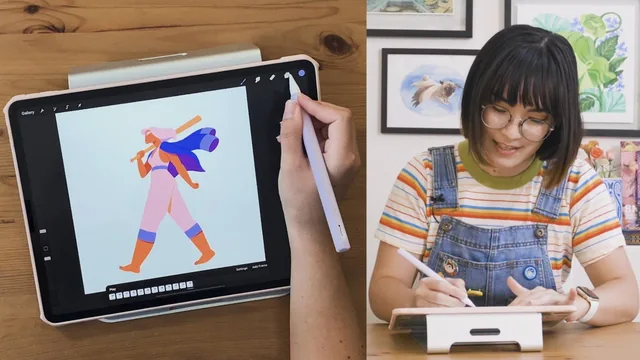
A tight 69-minute walk-cycle tutorial that hands you a full frame-by-frame Procreate workflow, but only if you already know how to draw.
A Single Walk Cycle, Taught Properly
Danni Fisher-Shin's class has a narrow, honest premise: teach one thing, a looping walk cycle, and teach it well inside Procreate 5's Animation Assist tool. It does not attempt to cover animation broadly. Sixteen short lessons carry a single female character, bat in hand, from a rough four-pose skeleton to a fully colored, lit, exportable GIF, and the course structure mirrors a real production pipeline rather than a loose collection of tips.
The opening lessons matter more than they first appear. Before any drawing happens, the course spends real time on character design for animation specifically, showing why a flat side profile, simplified clothing, and separated color values make the difference between an animatable design and a beautiful still that becomes a nightmare to redraw forty times. This is a detail many animation tutorials skip, and its inclusion here signals a teacher who has actually shipped animated work under deadline.
The technical core is the keyframe-to-inbetween-to-cleanup arc: rough in four key poses (two extended, two crossing), add ease by holding certain frames longer than others, then progressively refine into full inbetweens, outlines, secondary animation, and color. Each stage builds visibly on the last, and the course is honest about the tedium involved, comparing the inbetween phase to podcast-listening busywork rather than pretending every step is thrilling.
Where the Craft Gets Real
The strongest material is the offset work. Rather than treating the body as one rigid unit, the course shows how the hips lead the motion and the torso and head lag a frame behind at each extreme, a small technical move that single-handedly makes the difference between a walk that looks mechanical and one that looks alive. It then extends that same offset logic to secondary animation, treating hair and jacket panels as loose "strings" attached to a fixed point and animated with a wave-like rhythm. Watching that principle applied first to hair, then to a jacket panel, then to overlapping sleeves, is the clearest demonstration in the course of how one idea scales across a whole design.
The color and lighting pass at the end is a genuine bonus rather than filler. What starts as flat cel-shaded fills becomes a fully lit character with rim lighting on the hair and shine on the jacket sleeves, and the course is candid that this extra pass takes real additional time, framing it as optional polish rather than a required step.
The limitations are structural rather than a matter of execution. This is one walk cycle, in one style, using one tool's specific feature set, so anyone expecting runs, turns, or non-humanoid motion will need to extrapolate entirely on their own. The course also assumes existing comfort with Procreate's interface and basic figure drawing; a true beginner will struggle to keep pace once the anatomy tracing begins. For its stated audience, illustrators ready to animate their own character for the first time, it delivers a complete, well-sequenced, technically sound path from blank canvas to finished GIF.
The standout
The offset technique for staggering hip, torso, and head motion by a single frame each is a concrete, reusable principle that turns a stiff walk cycle into something that reads as alive.
What you will learn
- How to design a character silhouette specifically for animation, using flat side profiles and simplified shapes so poses stay consistent across frames
- How to set up and use Procreate 5's Animation Assist panel, including background/foreground layers, frame rate, onion skinning, and loop settings
- How to rough in the four core keyframes of a walk cycle (contact, passing, contact, passing) either from a character's existing pose or from traced video reference
- How to apply ease and timing variation by holding frames unevenly so extended poses pause and cross poses move faster
- How to offset secondary body parts (hips, torso, head) by staggering their peaks a frame apart so the motion doesn't look robotic
- How to animate flowing secondary elements like hair and a jacket using a wave-based, string-like offset technique, then clean up, color, and export as GIF or MP4
Best for: Illustrators and artists who already draw comfortably in Procreate and want a guided first walk cycle using Animation Assist specifically.
Skip it if: Total beginners with no drawing background, or anyone hoping for broad animation coverage beyond a single looping walk cycle.