
Animate Your Illustrations in Record Time Using Adobe After Effects
Carminys Guzmán · Motion grapher
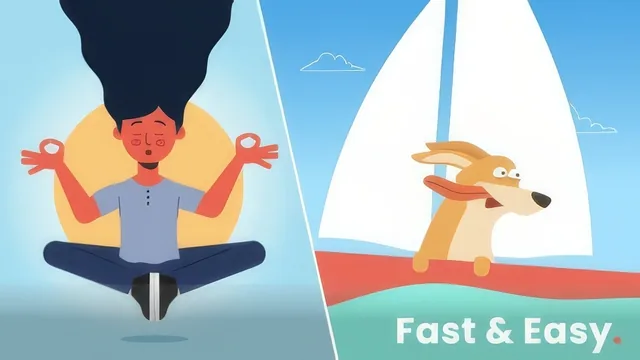
A tight 54-minute crash course that teaches loop expressions and squash-and-stretch bounce timing fast, if you already know basic keyframing.
A workflow course disguised as a beginner course
This course promises a beginner-friendly path into 2D animation, but its real value sits a level above absolute basics. The single interface-orientation lesson covers compositions, the timeline, shape layers, and the difference between a mask and a shape layer in one dense pass, then immediately tells anyone with prior After Effects exposure to skip ahead. Everything that follows, from the bouncing-ball exercise to the two full illustration projects, assumes the viewer can already create a keyframe and navigate a timeline without hand-holding. Anyone opening After Effects for the first time will likely need to pause and rewatch that third lesson more than once, and possibly supplement it with outside material before the pace picks up.
Where the course earns its keep is in its middle stretch. The bouncing-ball lesson is a genuinely well-chosen teaching exercise: it walks through Easy Ease, then digs into keyframe velocity and influence values to smooth out the unnatural constant-speed motion that raw Easy Ease leaves behind, and pairs that with a squash-and-stretch scale animation tied to a fixed mass ratio (x and y always summing to 200). That single lesson packs in more animation theory than most of the runtime combined.
The loopOut expression lesson is the course's best single idea. Instead of manually keyframing a repeating motion, a one-line expression typed while alt-clicking the stopwatch produces a cycling, ping-pong, or offset-scrolling loop automatically. Combined with the later lessons on copying and pasting keyframes, expressions, and effects across multiple layers at once, this forms the backbone of the "record time" promise in the title. It is a legitimate speed technique, not just a marketing hook.
The two guided projects, a sailor dog on a boat and a jumping fish, then a bouncing girl character, put these techniques into practice. They demonstrate parenting layers with the pick whip so a body follows its parts, staggering identical rotation keyframes by a single frame across linked layers to fake inertia, and using Auto-Orient along a path so a jumping fish rotates correctly without manual rotation keyframes. The Wave Warp effect gets reused across sails, ears, hair, and water to fake secondary motion cheaply, which is a practical trick worth knowing on its own.
Where the course falls short is depth and pacing balance. The Illustrator file-preparation lesson, covering how to separate layers for animation, is compressed into a couple of minutes when it deserves more, since clean source files are the actual foundation of everything that follows. The rendering lesson at the end is a serviceable rundown of Media Encoder settings for web and GIF export, but adds little beyond basic technical housekeeping.
At under an hour total, this is not a course that builds animation fundamentals from zero despite its billing. It is closer to a workflow-acceleration course for someone who already understands keyframes and wants faster techniques for loops, secondary motion, and layer organization. Within that narrower frame, it delivers real, specific, immediately usable techniques.
The standout
The lesson on the loopOut expression, especially the ping-pong and offset variants, replaces tedious manual keyframing with a one-line automated cycle that alone speeds up most repetitive animation work.
What you will learn
- Setting up compositions, importing layered Illustrator files, and organizing folders in After Effects
- Building a natural bounce animation with squash and stretch, Easy Ease, and keyframe velocity/influence adjustments
- Using the loopOut expression (cycle, ping-pong, offset) to automate repeating motion without extra keyframes
- Speeding up repetitive work by copying and pasting keyframes, expressions, and effects across layers
- Rigging illustrations with parenting (pick whip) so body parts follow a parent layer's movement
- Using Auto-Orient along a path and the Wave Warp effect to animate a jumping fish and flowing hair or sails
Best for: Illustrators or designers who already have basic After Effects keyframing experience and want faster workflows for looping 2D character and object animation.
Skip it if: Absolute beginners with zero After Effects exposure, since the interface overview is a single rushed lesson and later projects assume comfort with keyframes and parenting.