
Animate an Explainer Video in Adobe After Effects CC with Motion Graphics
Lucas Ridley · Professional Animator
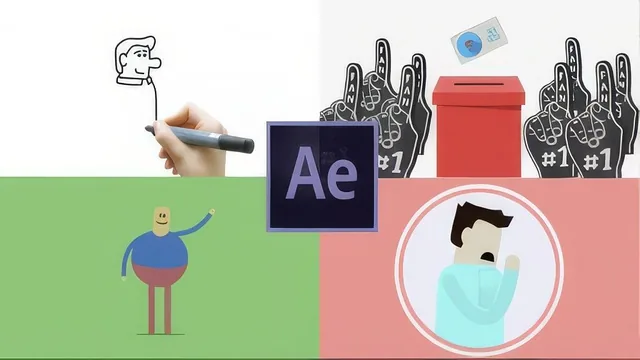
A working animator hands over his real transitions, flourishes, and rigging tricks, but skips character design and rigging fundamentals entirely.
Lucas Ridley's course promises "interesting transitions, flourishes, and characters" as the three pillars of a good explainer video, and it delivers unevenly on that promise. The structure is sound: a planning lesson on script and voice-over first, then a beginner primer on the After Effects interface, then a long middle stretch of transitions and flourishes, then character construction, then rendering and two bonus lessons on whiteboard effects and 3D blending. The arc makes sense on paper. In practice, the course spends most of its runtime on the first pillar and treats the third as an afterthought.
Where the course earns its keep
The transitions and flourishes sections are the strongest material here, and they are taught the way a working freelancer actually works: reverse engineered from finished shots. Ridley walks through animating a square mask into a circle mask synced to a locked voice-over track, then breaks down more advanced scenes like a director's chair scaling with overshoot keyframes, a ballot card sliding into a box using a track matte built from an inverted alpha mask, and a sparkle flourish built from three shape paths with staggered trim-path animations and loop-out expressions. These lessons repeatedly return to a genuinely useful idea: build a reusable asset once, precompose it, then deploy it throughout a video without re-animating from scratch. That habit of thinking in reusable pieces rather than one-off animations is the most transferable lesson in the course, and it is demonstrated with enough specific keyframe and expression detail that a viewer could rebuild the examples rather than just watch them.
The megaphone icon lesson, added after the initial release to answer a student question, is a genuinely thorough walkthrough of building an icon from primitive shapes, applying adjustment-layer shadows with curves, and clipping them with inverted alpha masks. It is one of the few segments that starts from a blank composition and ends at a finished, polished asset.
Where it falls short
The character animation lessons assume the viewer already knows how to build shapes and rig parent-child hierarchies, and they lean heavily on "download the project file and deconstruct it yourself" rather than teaching rigging principles directly. Someone who is not already comfortable with masks, shape layers, and parenting will find the body-building and limb lessons thin and hard to follow independently. The beginner After Effects lesson is useful but extremely brief, covering compositions, layers, and null objects in one pass with no time to build muscle memory before the pace accelerates.
The two bonus lessons, the whiteboard effect and the 2D-to-3D Maya blend, are interesting but tangential. The Maya section in particular is explicitly a workflow overview rather than a tutorial, useful mainly as inspiration for viewers who already own and know a 3D package. It does not teach Maya, and it assumes access to software outside After Effects entirely.
Overall, this is a course built from a working freelancer's actual toolkit rather than a curriculum designed for progressive skill building. That makes the transition and flourish techniques feel authentic and immediately usable, but it also means viewers without prior shape-layer and masking experience will hit a wall in the character sections. Anyone already comfortable with After Effects basics who wants a faster route to professional-looking transitions and embellishments will get real value here. Anyone starting from zero should expect to supplement it with a dedicated After Effects fundamentals course first.
The standout
The breakdown of building interest and flourishes from a handful of overshoot keyframes and looped trim-path sparkles is the single technique most likely to upgrade a plain motion graphics reel.
What you will learn
- How to plan an explainer video through story, script, voice-over timing, and visual research before opening After Effects
- How to build shape-based icons using masks, adjustment layers, and track mattes, demonstrated through a full megaphone icon build
- How to construct transitions by animating mask shapes (square to circle) and pairing them to a locked voice-over track
- How to build reusable flourishes, including scaling overshoot text pops and looping sparkle effects using trim paths and expressions
- How to render a looping composition and export it through the After Effects render queue with H.264 settings for web delivery
- How to composite 2D After Effects renders into a 3D package like Maya using image planes and matched focal length for a hybrid 2D/3D shot
Best for: Someone who already has basic After Effects fluency and wants concrete, reusable transition and embellishment techniques for freelance explainer work.
Skip it if: Complete beginners hoping to learn character rigging and puppet animation from scratch, since the character sections assume shapes and masks are already familiar territory.