
Advanced Techniques in Surface Pattern Design
Bonnie Christine · Surface Pattern Designer + Artist
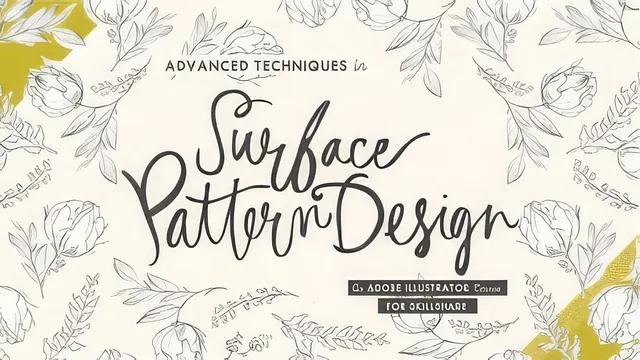
Five specific pattern-building tricks in under 90 minutes, but only useful if you already know your way around Illustrator's pen and Live Trace tools.
Bonnie Christine's Advanced Techniques in Surface Pattern Design picks up exactly where a beginner class leaves off. It opens with a compressed four-lesson refresher (sketch, scan and vectorize, color, build the repeat) that exists only to get everyone onto the same page before the real content starts. Anyone who has not already built a basic repeating tile in Illustrator will find that refresher too fast to actually learn from. It is a reminder, not a tutorial, and the course says so upfront.
The five numbered techniques are where the course earns its "advanced" label, and each one solves a genuinely specific problem rather than restating generic pattern theory.
The techniques, one by one
The geometric lesson flips the usual build order: instead of starting with a bounding box and fitting motifs into it, Christine draws the motif first, replicates it by eye until a repeat becomes visible, then measures the exact pixel dimensions of a box that fits the visible repeat and locks the artwork to that size. It is a practical workaround for anyone who has stared at a geometric pattern and assumed it required trigonometry to construct.
The diagonal lesson covers two different problems that get conflated in most tutorials: making a pattern look diagonal by rotating the tile contents with the tilde-key modifier, and building an actual diagonal repeat by staggering rows against a 45-degree guideline and copying elements across the tile boundaries in stages. The second method is genuinely fiddly, and the course does not pretend otherwise. It shows real troubleshooting, including catching a repeat that goes wrong on the first test and thinning out a section that reads as too heavy.
The layered-pattern lesson is the strongest single idea in the course. Illustrator refuses to fill a pattern swatch with another pattern swatch, which blocks the obvious way to stack patterns on top of each other. The workaround is to build a bottom layer of loosely placed "shadow" shapes, lock it in place, then build a second layer of precise motifs on top so the two repeat together as one flattened tile. It directly answers a question surface pattern designers ask constantly: how do artists get patterns that look like they have multiple depths of imagery.
Texture and lined patterns round out the set. The texture lesson uses a purchased brush-and-stain asset pack, distorted and recolored close to the background tone so it reads as subtle grain rather than an obvious overlay. The lined-pattern lesson is the most manually intensive of the five: it walks through matching the thickness and position of hand-drawn marker lines across a tile's edges using isolation mode, a resized eraser, and the smooth tool, so a "wonky plaid" repeats without an obvious seam.
Where it lands
At 87 minutes across eleven lessons, this sits closer to a focused workshop than a comprehensive course, and it does not try to be more than that. Each technique gets one worked example rather than several variations, so the ceiling on how much practice material is here is low. The 2017 vintage shows mostly in specific software dialog names, not in the underlying techniques, which still hold up in current Illustrator. Nothing here covers color theory, marketing artwork for licensing, or getting the pattern printed or sold, so it stays narrowly focused on construction technique. For an intermediate Illustrator user chasing the "how did they build that" question about complex repeats, it delivers five real answers in under an hour and a half, which is a fair trade.
The standout
The layered-pattern lesson, which solves Illustrator's literal refusal to paint one pattern with another by faking depth through a locked shadow layer built before the visible motifs.
What you will learn
- Sketching and vectorizing motifs by hand, then scanning and cleaning them with Image Trace before building a repeat
- Eyeballing a geometric repeat by drawing motifs first and fitting an exact-pixel bounding box around them afterward
- Faking a diagonal pattern with the tilde-key rotate/scale trick, or building a true diagonal repeat by shifting rows against a tilted guideline
- Tricking Illustrator into layering patterns on top of each other by locking a base layer of shadows before adding motifs on top
- Adding texture with distorted, semi-transparent overlays without breaking the seamless repeat
- Matching line thickness and position across a tile's edges using isolation mode, the eraser, and the smooth tool
Best for: Someone who already builds simple repeating patterns in Illustrator and wants a specific answer for how professionals construct diagonal, layered, or lined repeats.
Skip it if: Anyone new to Illustrator or unfamiliar with basic repeat-building, since the course explicitly skips those fundamentals and assumes them.