
Advanced Prototyping and Interaction Design in Figma for UI/UX Designers
Arash Ahadzadeh · UI/UX Designer | University Lecturer
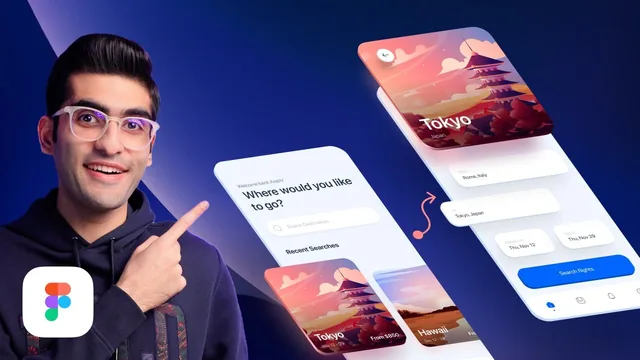
A dense, technique-heavy Figma prototyping course that trades theory for twenty rebuildable micro-interactions inspired by Apple's UI.
Arash Ahadzadeh's course does one thing and does it with unusual specificity: it teaches Figma's prototyping panel as a system, not a list of tips. The three-part arc (basics, intermediate, advanced) moves from connecting two frames with a simple click trigger to chaining four rotated variants together with one-millisecond delays to fake a looping spinner. That progression is the course's real spine, and it holds up because each new lesson reuses the same "journey concept" (starting point, ending point, connection, duration) introduced in lesson five rather than inventing new mental models every video.
What actually gets built
The lesson list reads like a checklist, but the content backs it up with mechanics, not just outcomes. The like button and animated switch lessons establish variants and interactive components as the foundation. From there the course layers on complexity: an animated button that uses masked, scaled-down circles inside component variants to fake a hover fill, a dropdown menu built from two properties (state and placeholder) so each language option connects to its own variant, and a drag-based image carousel where the biggest lesson is that you must connect the draggable object itself, not the parent variant, or the interaction silently fails. The dynamic island and mesh gradient lessons push into more novel territory, and the closing lessons on a floating action button and an accordion card show how auto layout interacts with variants to keep these effects responsive across duplicated instances.
The single most useful throughline is the recurring emphasis on failure modes. Smart animate breaking because a duplicated layer got renamed, drag interactions not working because the wrong layer was selected as the connection point, hover states not resetting because "on click" and "mouse leave" behave differently, resizing bugs when a loading spinner gets dropped into a fixed-width button. These are the kinds of mistakes anyone building their first component-based prototype will hit, and walking through them as they happen is more valuable than a clean, mistake-free demo would be.
Where it falls short
The course is explicit that it is not a UI design class, and that boundary is real: pre-built design files are handed over so lessons can skip straight to prototyping, which means it assumes visual design decisions like spacing, color, and layout are not the takeaway. Anyone hoping to learn interface design alongside prototyping will need that groundwork elsewhere first. The 189-minute runtime across twenty-plus lessons also means individual techniques move quickly, some builds compress a dozen small steps (adding a plugin icon, adjusting corner radius, wiring three variant states) into a few minutes, so pausing and rebuilding alongside the video is close to mandatory for the material to stick.
The teaching style is procedural rather than conceptual. There is limited discussion of when a technique is appropriate for a real product versus when it is showing off (the mesh gradient and 3D animation lessons lean toward portfolio flash more than everyday UI work). Still, for a designer who already understands Figma's basics and wants prototyping specifically, this is a well-sequenced, technically honest course that treats the "why did my animation break" moment as the actual curriculum, and that choice pays off.
The standout
The breakdown of Figma's smart animate mechanic, including the layer-naming pitfall that silently breaks otherwise correct interactions, is worth the course on its own.
What you will learn
- How to build multi-state components using variants and smart animate rather than static screen-to-screen links
- How to sequence keyframe-style transitions using the trigger, transition-type, easing, and duration controls in Figma's prototype panel
- How to build specific interactive elements: a like button, animated switches, sliders, dropdown menus, a loading spinner with a Lottie-based checkmark, and an iOS-style dynamic island
- How to fix the most common smart animate failure, mismatched layer names between the start and end frames, that silently breaks an animation
- How to combine auto layout with interactive components so effects like an accordion list stay responsive across duplicated instances
- How to fake a continuous drag interaction and a looping spinner using chained after-delay and on-drag triggers between variants
Best for: Designers who already know basic Figma UI work and want a guided, project-based path into building convincing, portfolio-ready micro-interactions.
Skip it if: Total beginners to Figma or anyone wanting general UI/UX design theory, since the course assumes design fundamentals and focuses narrowly on prototyping mechanics.