
Adobe Illustrator for Fashion (CAD I): Introduction to Garment Flats
Mickaela Roxas · Graphic Design, Calligraphy
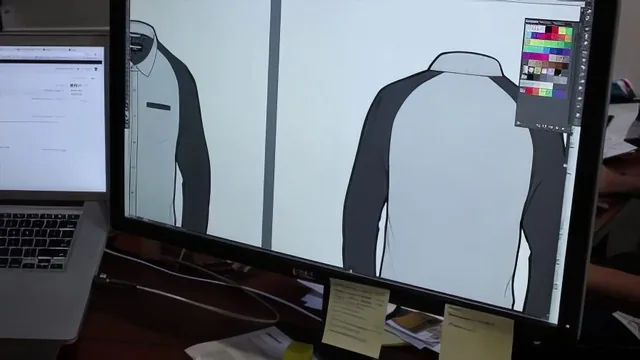
A 75-minute crash course that gets you drawing symmetrical garment flats fast, but skips fit, proportion, and real technical-design rigor.
What it actually teaches
This course promises Adobe Illustrator fundamentals for fashion flats and delivers close to exactly that, no more and no less. It opens with software orientation: setting up a letter-size art board, navigating with the hand and zoom tools, and understanding the difference between the selection tool and the direct selection tool. From there it moves into shape building, fill and stroke coloring, and layer arrangement, all demonstrated through simple exercises like squares, circles, and a cartoonish deliverable made purely from shape tools. None of this is fashion-specific yet. It is generic Illustrator onboarding dressed in fashion framing, and it takes up roughly a third of the runtime before the pen tool even appears.
The real content starts in Unit 2, where the pen tool gets a genuinely useful walkthrough: clicking to place straight anchor points, dragging to pull curves, converting anchors between straight and curved with the convert anchor point tool, and closing shapes properly. Align, distribute, and reflect follow, setting up the technique that defines the rest of the course.
The mirroring method and its limits
Everything from Unit 3 onward hinges on a single workflow: build one half of a garment on a croquis template, reflect and copy it, drag the copy into place, then use the lasso tool with Command/Control-J to join the two halves into one continuous shape. This is demonstrated repeatedly, on a basic T-shirt, a long-sleeve button-down, a pencil skirt, and a pair of trousers, with variations for stitch lines (dashed strokes with adjusted dash and gap values), patch and slash pockets, plackets, collars, and aligned button rows using horizontal align and vertical distribute. Watching the same technique applied across four garment types is genuinely effective repetition. It builds real muscle memory for a workflow that professional flat sketchers actually use.
The weakness is that the course treats proportion and fit as solved by simply tracing a provided croquis template. There is no instruction on drafting a croquis from scratch, no discussion of ease, silhouette accuracy, or how flats should relate to actual pattern dimensions. Garment construction knowledge, like where a button placket should sit relative to center front, is asserted rather than explained. A student with zero apparel background will replicate the technique but may not understand why a placket is offset or why a body panel on a button-down should stay open at the hem while a T-shirt panel gets closed.
Verdict
Pacing is fast, sometimes to a fault. Transitions between steps happen quickly, and the instructor occasionally backtracks after an unclear move, which works fine on rewatch but can be disorienting the first time through. Production value is minimal, screen capture and voiceover with no polish, and the explanations lean on demonstration over stated rationale.
As a 75-minute primer, it succeeds at what it sets out to do: get a novice from a blank Illustrator document to a set of five black-and-white flats for tops and five for bottoms, using shapes, the pen tool, and the mirror-and-join method. It is not a fashion design education, and it does not pretend deeply to be one. Anyone who already understands Illustrator's basics should skip straight to Unit 3 or bypass the course entirely, since the payoff is concentrated in the mirroring, stitching, and pocket techniques rather than the software fundamentals that precede them.
The standout
The mirroring technique, building one half of a garment on a croquis template, reflecting a copy, and using the lasso tool with Join to fuse the two halves into a single closed shape, is the one workflow that alone makes the course worth taking.
What you will learn
- Setting up Illustrator art boards, navigation, and zoom shortcuts for garment design work
- Using selection and direct selection tools plus shape tools to build and edit basic forms
- Applying fill and stroke color, adjusting stroke weight, and layering shapes with arrange commands
- Drawing and editing paths with the pen tool, including adding, subtracting, and converting anchor points
- Building a full garment flat on one half of a croquis template and mirroring it with reflect, join, and grouping
- Creating stitch lines, pockets, plackets, collars, and aligned buttons for tops and bottoms
Best for: Absolute beginners to Illustrator who already understand garment construction and just need the software mechanics to start producing flats.
Skip it if: Anyone who already knows Illustrator's basic toolset, or a beginner hoping to learn garment proportion, croquis drafting, or technical spec conventions from scratch.