
Adobe After Effects CC - Animated Infographic Video & Data Visualisation.
Daniel Scott · Adobe Certified Trainer
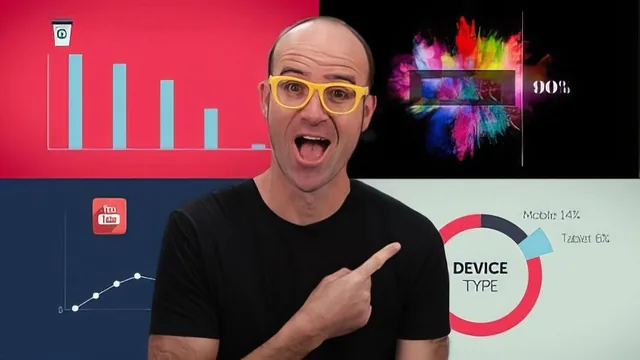
A genuinely thorough beginner path from icon to finished animated infographic, but a decade-old interface means constant mental translation.
A real curriculum, built on a real project
This course does not just demonstrate isolated After Effects tricks. It builds one continuous project, an animated infographic called "The Value of Sleep for Creatives," synced to a voiceover and background music track, and uses it as the spine for teaching. That structure matters. Instead of a grab-bag of unrelated demos, the lessons chain together: import audio, balance its levels against a target loudness range, build a Composition matched to that audio's length, add icons, animate them with easing and motion blur, then layer on pie charts, doughnut wipes, and a percentage counter that ticks upward using a Slider Control and an expression. By the time the course moves into 3D camera work and real-world footage tracking, the viewer has already built enough muscle memory to follow along rather than just watch.
The animation-polish lessons are the strongest part of the course. Easing, overshoot, anticipation, motion blur, and offsetting paired objects are each treated as a discrete, nameable technique rather than a vague "make it look nicer" gesture, and the instructor shows the visible before-and-after difference each one makes. The number counter lesson is a standout: connecting a Slider Control to a text layer's Source Text through an expression pickwhip, then wrapping that expression in Math.round to strip decimal points, is a genuinely transferable skill that shows up in dashboards and infographics constantly. The doughnut chart technique, built by duplicating a wipe shape and masking the center, is a clever low-effort trick rather than a complex build, and it is explained honestly as a shortcut rather than oversold as advanced work.
Motion tracking gets two full treatments: an automatic pass using null objects to parent a speech bubble to tracked points, and a manual frame-by-frame pass for footage where automatic tracking fails, like a rotating letterpress mechanism. Showing both, and being upfront that automatic tracking works only "half the time," is a level of honesty many beginner courses skip. The 3D camera lesson introduces gizmo controls and basic orbiting, though it stays fairly shallow compared to the 2D animation content that dominates the rest of the runtime.
Where it shows its age
The software itself has moved on since this was recorded. Interface details like the "universal" 3D gizmo the instructor calls out as new, or the After Effects 2022 additions covered near the end (multi-frame rendering, render-queue notifications, speculative preview), place this course several versions behind current After Effects. Menu paths, panel layouts, and even some effect names have shifted since, so a beginner following along on a modern install will occasionally need to hunt for a relocated setting. None of this breaks the core concepts, which remain accurate, but it adds friction that a true beginner may not be equipped to troubleshoot alone.
The performance and workflow tips near the end, covering Disk Cache management, RAM allocation, preview resolution, and frame-skipping, are practical and worth knowing, but they arrive late and read more as a checklist than an integrated part of the main project. A closing cheat sheet video does a good job condensing the key shortcuts (easing, motion blur, snapping, quick zoom, time travel) into a fast reference, which is a genuinely useful bonus for anyone who has sat through the whole 380 minutes.
The standout
The number counter build, wiring a Slider Control to a text layer's Source Text via a pickwhip expression, is a reusable technique that alone justifies working through the course.
What you will learn
- Setting up a Composition correctly (frame rate, resolution, duration) and importing/syncing audio to drive timing
- Core animation polish techniques: easing, motion blur, overshoot, anticipation, and offsetting grouped objects
- Building a percentage counter with a Slider Control effect and an expression wrapped in Math.round
- Creating pie chart and doughnut chart wipes using shape layers and pre-composing to isolate transition effects
- Motion tracking (automatic and frame-by-frame manual) to attach graphics like speech bubbles to moving footage
- 3D camera work with a one-node camera to add depth and movement across a scene of animated icons
Best for: Complete After Effects beginners who need data or icons to move convincingly and are willing to work through dated menus to get there.
Skip it if: Anyone already comfortable with keyframes and expressions, or anyone who wants a modern, streamlined interface without translating old menu paths.